
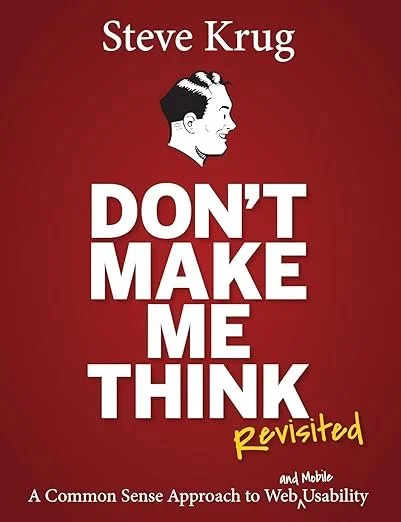
Don’t Make Me Think
A Common Sense Approach to Web and Mobile Usability
by Steve Krug
The 60-Second Take
In Don't Make Me Think, usability expert Steve Krug provides a masterclass in intuitive web design. He argues that users do not read pages carefully; they scan them ruthlessly. By understanding how people actually behave online, designers can eliminate cognitive friction, embrace web conventions, and create digital experiences that allow users to accomplish their goals without expending unnecessary mental energy. It remains the definitive, common-sense guide to making things easy to use.
Your Users Are Scanning, Not Reading
When we build a website, an app, or a digital product, we tend to operate under a comforting delusion. We imagine our users sitting in a quiet room, carefully reading the clever copy we wrote, admiring the subtle visual hierarchy, and logically weighing their options before clicking the exact right button.
Steve Krug has spent his career watching real people use the web, and he knows the truth is far messier. Real users are distracted, impatient, and wildly goal-oriented. They are looking for a specific piece of information, and they are tearing through your pages like a hungry animal looking for food.
First published in 2000 and updated in 2014, Don't Make Me Think is widely considered the bible of web usability. It is incredibly brief, highly visual, and entirely devoid of academic pretension. Krug's central argument is that usability is not about creating cutting-edge visual art; it is about human psychology. If you understand how little attention your users are actually willing to give you, you will stop trying to be clever and start trying to be clear.
What You'll Learn
The supreme law of usability and how to eliminate cognitive friction
Why users "satisfice" instead of optimizing their choices
How to format text and visual hierarchy for people who scan rather than read
The mechanics of the Trunk Test for evaluating site navigation
Why focus groups are useless for usability, and how to run a DIY usability test
The First Law of Usability
The title of the book is also Krug's overriding principle of design: Don't make me think.
Every page on a website should be self-evident. Obvious. A user should be able to look at it and immediately understand what it is and how to use it without expending any effort. Every time a user has to pause and ask themselves a question—Is that a banner ad or part of the page? Can I click on this text? Why did they name this category "Solutions" instead of "Products"?—you are adding to their cognitive workload.
Krug explains that humans only have so much mental bandwidth available when completing a task. Every question mark floating over a user's head drains that bandwidth. If you force them to think too hard about how to navigate your interface, they will eventually abandon the task entirely. Your goal is to eliminate all the question marks. If you cannot make a page completely self-evident, you must at least make it self-explanatory, requiring only a fraction of a second of thought to comprehend.
How We Really Use the Web
To design effectively, you have to abandon the idea that users consume web pages like they consume printed books. Krug identifies three distinct realities of user behavior.
First, we do not read pages. We scan them. We glance at a new page, sweep our eyes across it looking for words or phrases that catch our interest, and ignore the rest. We are usually on a mission to find something specific, and we filter out anything that does not closely resemble our target.
Second, we do not make optimal choices. We "satisfice." This term, coined by economist Herbert Simon, describes a strategy of choosing the first reasonable option rather than the best one. When users see a link that seems like it might lead to what they want, they click it immediately. They do not read the other options to see if there is a better fit. Guessing is faster than reading, and the penalty for guessing wrong on the internet is extremely low—you just hit the back button.
Third, we do not figure out how things work. We muddle through. Very few people read instructions or take the time to understand the underlying architecture of a website. We just forge ahead, clicking things until something happens. As long as we eventually get the result we want, we do not care if we understand the system. A designer's job is to build an interface that survives and supports this chaotic muddling.
Formatting for Scanners
Because you know your users are scanning, you have to format your pages to accommodate them. Krug insists on creating a crystal-clear visual hierarchy.
The most important things on the page should be the largest and most visually prominent. Things that are related logically should be grouped together visually. Things that are clickable must look undeniably clickable. If a user cannot instantly tell the difference between a decorative header and an actionable button, the visual hierarchy has failed.
Krug also offers brutal advice for writing web copy: get rid of half the words on each page, and then get rid of half of what is left. Omit needless words. Eliminate "happy talk"—the introductory, self-congratulatory paragraphs that welcome a user to the site but provide no actual information. Users skip happy talk entirely. Keep your paragraphs short, use bulleted lists heavily, and ensure your headers clearly describe the content beneath them.
Navigation and the Trunk Test
Navigation is not just about helping people find what they want; it gives them confidence in the people who built the site. Good navigation acts like street signs in a physical city. It tells us what is here, how to use the site, and where we are currently located.
To evaluate whether your navigation actually works, Krug introduces the Trunk Test. Imagine you have been blindfolded, thrown into the trunk of a car, driven around for an hour, and then suddenly dropped onto a random page deep within a website. When the blindfold comes off, you should be able to instantly answer the following questions just by looking at the page:
What site is this? (Site ID/Logo)
What page am I on? (Page name)
What are the major sections of this site? (Sections)
What are my options at this level? (Local navigation)
Where am I in the scheme of things? ("You are here" indicators or breadcrumbs)
How can I search?
If you fail the Trunk Test on any page, your users will feel lost. Krug is a massive advocate for standard web conventions. Do not reinvent the wheel for the sake of creativity. Put the logo in the top left. Put the search bar in the top right. Make the logo a clickable link that returns the user to the home page. Conventions exist because they work, and forcing a user to learn a new convention for your site directly violates the rule of not making them think.
Usability Testing on a Dime
The most common mistake companies make is confusing usability testing with focus groups. A focus group brings several people into a room to discuss what they say they want, which is useful for marketing. A usability test watches one person at a time actually use the product, which is essential for design.
Many teams skip usability testing because they assume it requires an expensive laboratory, two-way mirrors, and thousands of dollars. Krug argues this is nonsense. You can run a highly effective usability test in an empty office with a laptop, screen-recording software, and any random person off the street.
You do not need fifty testers to find the flaws in your site. You only need three to five. If an interface is confusing, three people will stumble over the exact same button, giving you all the evidence you need to fix it. The goal is simply to watch a user try to complete a specific task on your site while they speak their thoughts out loud. When you watch a real human struggle to find the checkout button you thought was obvious, it permanently cures you of the belief that your design is perfect.
Don't Make Me Think at a Glance
The First Law. "Don't make me think." Every element of your digital product must be entirely self-evident.
Scanning. Web users do not read text sequentially; they sweep the page for keywords related to their immediate goal.
Satisficing. People do not evaluate all options to find the perfect choice; they click the first option that seems "good enough."
Visual Hierarchy. The visual importance of an element must accurately reflect its logical importance to the user.
The Trunk Test. A user dropped on a random interior page must instantly know where they are and what their options are.
Usability Testing. Watching three people actively try to use your site is infinitely more valuable than arguing about design theory in a boardroom.
A Quick Start Guide to Frictionless Design
Omit needless words. Go to your homepage right now and ruthlessly delete all the "happy talk" and introductory filler paragraphs.
Standardize your navigation. Stop trying to invent clever new ways to display menus. Put your logo top-left, search top-right, and rely on established web conventions.
Run the Trunk Test. Pick a page three clicks deep into your website. Print it out. Can someone instantly tell exactly where they are in the site's architecture?
Make clickable things obvious. Do not make users hover their mouse over text just to see if it is a link. Format buttons and links so they look undeniably actionable.
Test with three people. Grab three people who do not work at your company. Ask them to perform a simple task on your site (like finding a specific product) and watch them do it while they speak their thoughts aloud. Do not help them.
Who Should Read Don't Make Me Think (and Who Can Skip It)
Read it if you are a product manager, marketer, or founder who oversees a website but lacks formal design training.
Read it if you are a writer or content creator trying to understand how to format text so people will actually consume it online.
Read it if your team constantly argues over website features and needs an objective, common-sense referee to settle the debates.
Skip it if you are looking for an advanced textbook on front-end coding languages or UI animation frameworks. This is about psychology, not syntax.
Skip it if you want deep, academic research on cognitive science. Krug relies entirely on empirical observation, keeping the tone exceptionally light and informal.
Final Reflections
Don't Make Me Think is a rare business book that completely lacks ego. Steve Krug does not try to impress the reader with dense terminology or complex diagrams. Instead, he offers a relentless defense of the end user. The book's brevity is its greatest strength; it actively practices what it preaches by being easy to scan, beautifully formatted, and immediately useful. Even though the visual examples in the book age as the internet evolves, the underlying human behaviors Krug describes are permanent. We are still impatient, we still refuse to read instructions, and we still just want to get things done. It remains mandatory reading for anyone who builds things for a screen.
The Bottom Line
Your website is not a piece of art to be studied but a tool to be used, and its success depends entirely on eliminating every possible moment of confusion, hesitation, or cognitive effort for the user.
Frequently Asked Questions
What is the difference between satisficing and optimizing?
Optimizing means carefully evaluating every possible option on a page to ensure you make the absolute best choice. Satisficing (a blend of satisfy and suffice) means scanning until you find the first option that looks reasonably close to what you want, and clicking it immediately to save time. Web users almost always satisfice.
Is Don't Make Me Think outdated?
The visual examples of websites from the earlier editions certainly look dated, but the core psychological principles are timeless. The "Revisited" edition includes chapters specifically addressing mobile design and accessibility, proving that whether you are designing for a desktop monitor or a smartwatch, the rule of "don't make me think" still governs human behavior.
Why does Krug hate focus groups?
He does not hate them, but he believes they are misused. Focus groups are designed to figure out what an audience wants, which is marketing. Usability tests are designed to figure out if an audience can use what you built. You cannot determine a site's usability by asking people to talk about it in a conference room; you have to watch them interact with it.
Business Floss is reader-supported. When you use our links we may earn an affiliate commission that helps us keep the site running. Thank you for your support!


